
Documentation
New Transactions
Description
New Transactions feature is used to enter all transactions.
Entering New Transactions
To enter a transaction, go to:
All fields except "Notes" are required when entering transactions.
New Transactions screen will look different if you are using a computer but all of the fields are the same as in the screenshot below.
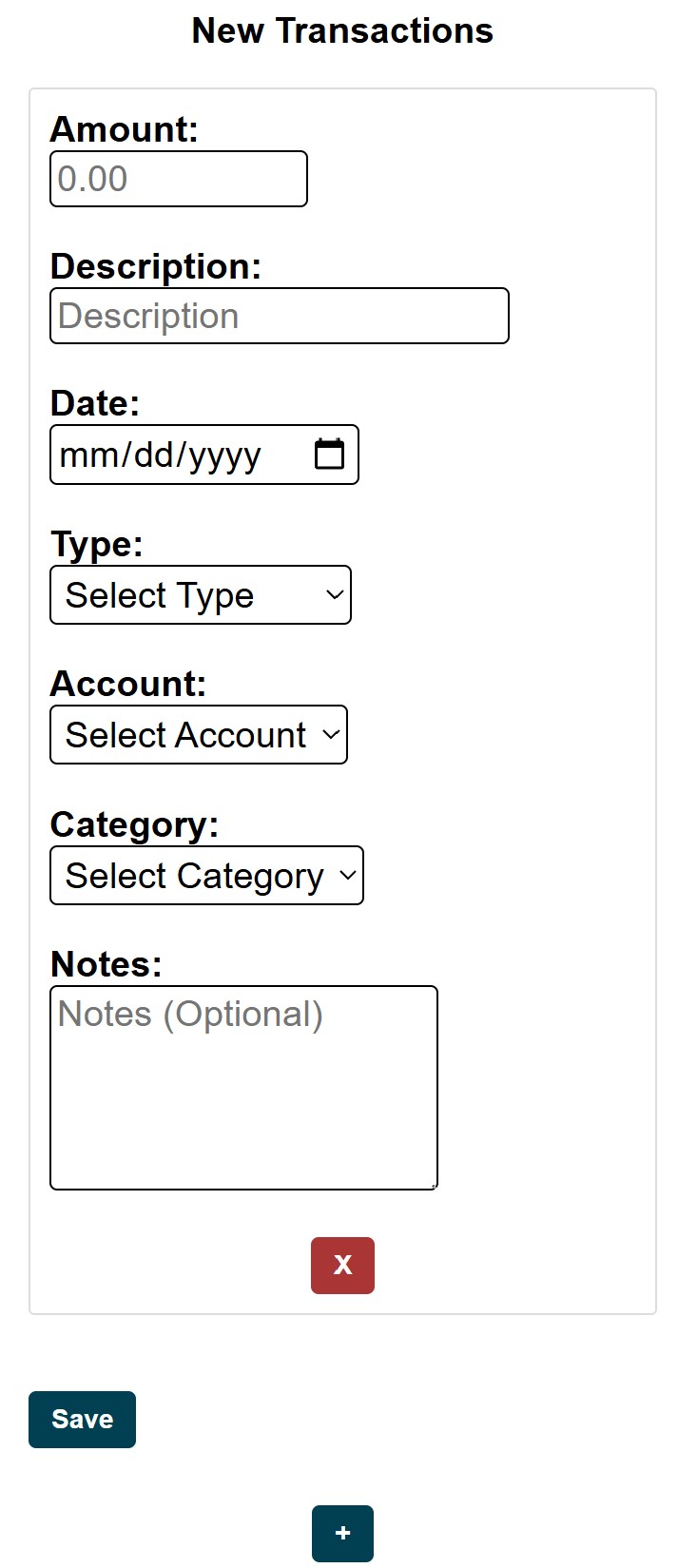
Multiple transactions can be entered at the same time. Use button to add additional transactions.
In the "Amount" field, enter the transaction's amount.
In the "Description" field, enter a brief description to identify the transaction.
In the "Date" field, enter the date when the transaction occurred.
"Type" determines whether the transaction is incoming or outgoing (i.e. income or expense). For detailed explanations of transaction types, see
Transaction Types.
In the "Account" drop-down menu, choose an account affected by this transaction.
In the "Category" drop-down menu, choose a category affected by this transaction (i.e. which category the funds are going into or coming out of).
"Notes" field is optional. It can be used to add additional information related to the transaction.
Press button to submit transactions.
Description
New Transactions feature is used to enter all transactions.
Entering New Transactions
To enter a transaction, go to:
All fields except "Notes" are required when entering transactions.
New Transactions screen will look different if you are using a computer but all of the fields are the same as in the screenshot below.
Multiple transactions can be entered at the same time. Use button to add additional transactions.
In the "Amount" field, enter the transaction's amount.
In the "Description" field, enter a brief description to identify the transaction.
In the "Date" field, enter the date when the transaction occurred.
"Type" determines whether the transaction is incoming or outgoing (i.e. income or expense). For detailed explanations of transaction types, see Transaction Types.
In the "Account" drop-down menu, choose an account affected by this transaction.
In the "Category" drop-down menu, choose a category affected by this transaction (i.e. which category the funds are going into or coming out of).
"Notes" field is optional. It can be used to add additional information related to the transaction.
Press button to submit transactions.